Enhancing Tav's Appearance: A Guide to Tattoo Mods in Baldur's Gate 3
Baldur's Gate 3 tattoo mods and character customization unlock endless creativity, letting you personalize your Tav with stunning, unique designs.
For adventurers traversing the Sword Coast, the allure of crafting a unique protagonist, affectionately known as Tav, is a cornerstone of the Baldur's Gate 3 experience. The game offers a substantial suite of customization tools, allowing players to select from diverse ancestries, professions, facial features, and intricate body art. However, after numerous playthroughs, even the most detailed catalog can begin to feel repetitive, particularly concerning the available tattoo designs. This is where the vibrant modding community comes into play, offering a wealth of new aesthetic possibilities to refresh every character creation session.
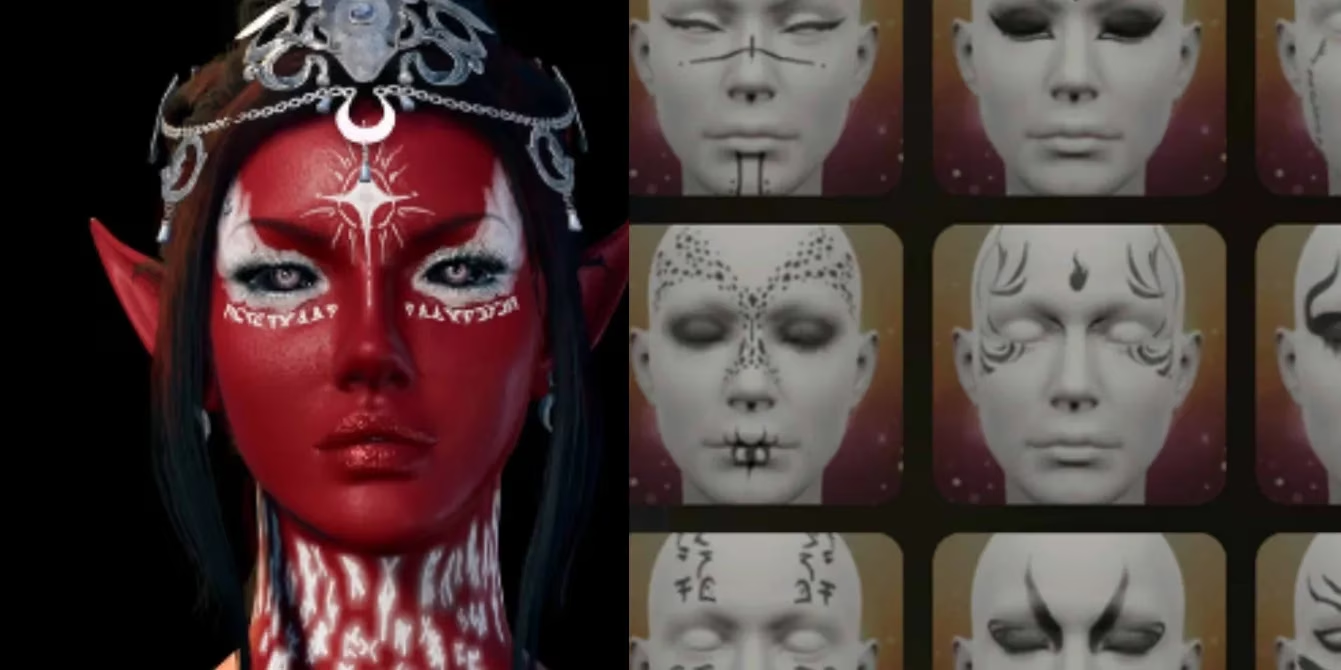
🔧 Utilizing the In-Game Mod Manager
The most straightforward method to alter your character's tattoos is through Baldur's Gate 3's integrated mod management system. Introduced in a previous patch and refined over time, this built-in tool has revolutionized accessibility for modding. Players can access this feature directly from the main menu, eliminating the need for complex external software. The manager presents a browsable, categorized catalog of community creations.
-
Access & Search: Navigate to the 'Mod Manager' from the game's home screen. Use the search function and type in keywords like "Tattoo" or "Body Art."
-
Browse Packs: Several options will appear, with the most prominent being the various Lemon Tattoo Replacer packs. These collections are popular for their high-quality, fantasy-themed designs.
-
Download & Install: Once you've selected a pack that appeals to you, simply hit the download button. The manager handles the installation process automatically.
On your next adventure, during the Tav creation phase, you will find that the default tattoo options have been completely substituted with the new patterns from your chosen mod pack.
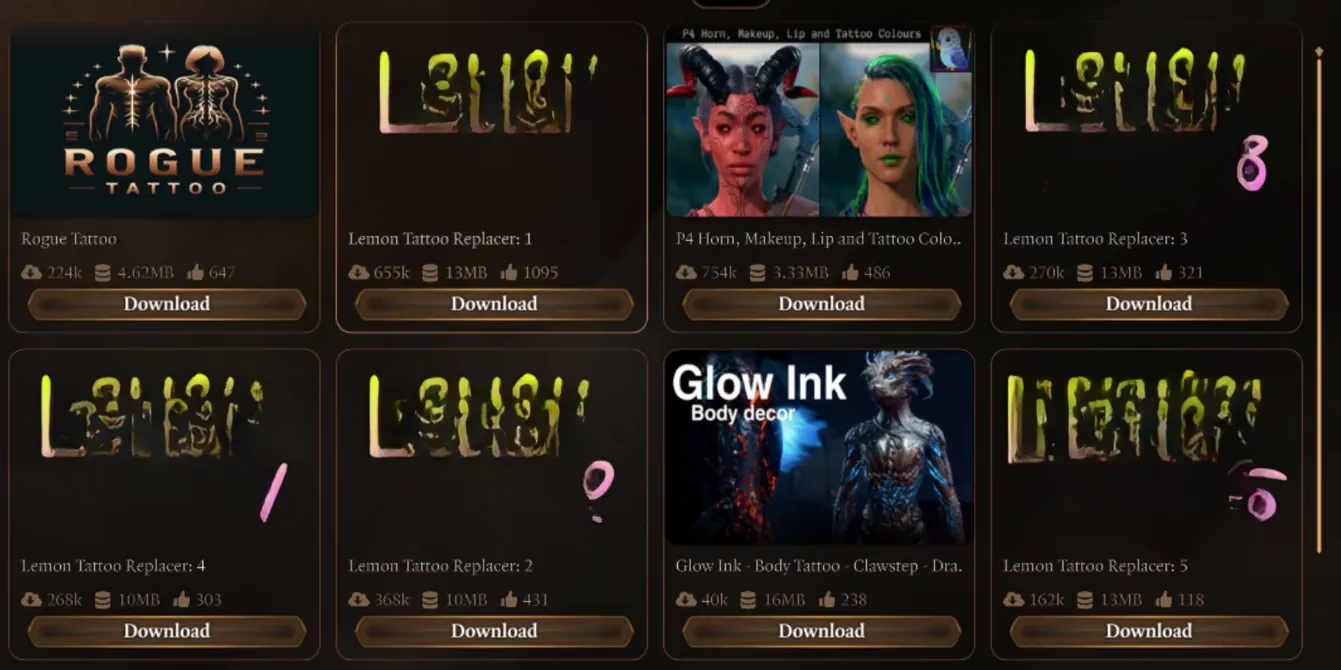
Important Consideration: The mods available via the in-game manager are primarily replacers, not additions. This means they swap out the base game's tattoos rather than adding new slots. This design is due to technical constraints of the integrated system and compatibility with console versions. For players on PlayStation or Xbox, or those on PC who prefer a simple, integrated solution, these replacer packs are the optimal and often the sole choice for tattoo customization.
⚙️ Expanding Options with BG3 Mod Manager
For PC players seeking a more extensive and flexible modification experience, the external BG3 Mod Manager (BG3MM) opens a vast new dimension of customization. This powerful tool allows access to a much broader library of mods, including those that add new tattoo options instead of replacing existing ones.
| Feature | In-Game Mod Manager | BG3 Mod Manager (BG3MM) |
|---|---|---|
| Access | Integrated, user-friendly | External application, requires setup |
| Mod Type | Primarily replacers | Both replacers and additive mods |
| Library Size | Curated, smaller selection | Vast (e.g., Nexus Mods) |
| Best For | Console players & beginners | PC players wanting maximum choice |
Key advantages of using BG3MM include:
-
The Lemon Makeup and Tattoo Non-Replacer Mod: This is a highly recommended mod that provides all the designs from the Lemon packs as new, additional options alongside the vanilla tattoos. This effectively expands your artistic palette.
-
Greater Selection: Websites like Nexus Mods host thousands of mods, offering everything from subtle runes to elaborate full-body illustrations that far exceed the in-game manager's offerings.
-
Synergy with Other Mods: These new tattoo mods pair seamlessly with other popular aesthetic modifications for faces, hairstyles, and cosmetics, allowing for truly one-of-a-kind character designs.
Installation via BG3MM involves downloading the mod files and placing them in the correct game directory, then managing their load order within the manager's interface. Detailed, step-by-step instructions are always provided on the mod's download page. Crucially, BG3MM and the in-game mod manager can coexist peacefully. Players can use both systems simultaneously, provided the installed modifications do not directly conflict with each other's functions.
✨ Conclusion & Future of Customization
As of 2026, the modding ecosystem for Baldur's Gate 3 continues to thrive, supported by both official tools and dedicated community platforms. Whether you opt for the simplicity of the integrated manager or the depth offered by external tools, refreshing your Tav's body art is an accessible and rewarding process. These modifications not only enhance visual diversity but also deepen role-playing immersion, allowing players to craft characters whose appearances tell unique stories before a single dice is rolled. With ongoing support from Larian Studios and the modding community, the possibilities for personalizing your journey through Faerûn remain virtually limitless.